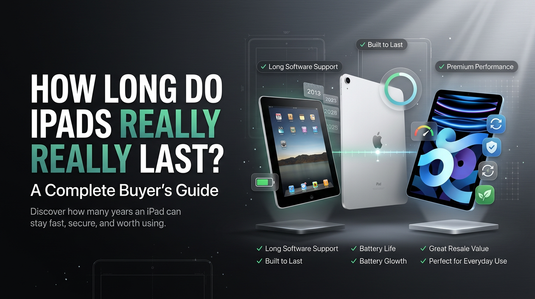
How Long Do iPads Really Last?
Apple has built a reputation for creating devices that stand the test of time. While many smartphones and tablets begin to feel outdated after just a few years, iPads often continue performing well long after their original release.
It's not uncommon to see someone using an iPad that's five, six, or even seven years old for everyday tasks like streaming, reading, browsing the web, taking notes, or attending online classes.

That raises an important question.
How long do iPads really last?
The answer isn't as simple as putting a number on it.
An iPad's lifespan depends on several factors, including how it's used, how well it's maintained, whether it continues receiving software updates, and how demanding your daily tasks are.
For one person, an iPad might remain perfectly usable for nearly a decade. For another, it may start feeling limiting after just a few years because their needs have changed.
The good news is that iPads are generally known for lasting longer than many competing tablets. Apple's combination of premium hardware, efficient software optimisation, and long-term update support allows many older iPads to remain useful well beyond their expected lifespan. You can cross-examine baseline features and technical specifications directly on the Official Apple New Zealand Portal.
That's also one of the reasons refurbished iPads continue to be so popular. If an older iPad still performs well and supports the apps you use every day, buying refurbished can be an excellent way to enjoy the Apple experience while spending considerably less than buying new. To learn more about why smart buyers are choosing pre-owned tech, check out this guide on why buy refurbished Apple products.
In this guide, we'll look at what really determines an iPad's lifespan, how long Apple supports its tablets, when it makes sense to upgrade, and whether buying a refurbished iPad is still a smart investment.
Explore the Apple Ecosystem in NZ
Looking for reliable hardware upgrades? Discover curated options across devices:
How Long Does an iPad Typically Last?
One of the biggest reasons people choose an iPad is its longevity.
Unlike many consumer electronics that begin showing their age after only a few years, iPads are designed to remain useful for much longer.
However, "lasting" can mean different things depending on what you're measuring.
When asking how long an iPad lasts, there are actually four different lifespans to consider.
1. Physical Lifespan
From a hardware perspective, an iPad can easily last seven to ten years or even longer if it's well looked after.
Apple uses durable materials and solid construction across its iPad lineup, allowing many devices to continue functioning long after they've been replaced by newer models.
Of course, accidents happen.
Drops, liquid damage, or poor handling can shorten an iPad's life far more quickly than normal wear and tear.
With proper care, though, the hardware itself is often one of the last things to fail.
2. Battery Lifespan
Like every rechargeable device, an iPad's battery gradually loses capacity over time.
This doesn't mean it suddenly stops working. Instead, you may notice that:
- Battery life becomes shorter.
- Charging is required more often.
- Performance may occasionally be affected during heavy workloads.
For many users, battery wear becomes noticeable only after several years of regular use.
If the rest of the device still performs well, replacing the battery may be more cost-effective than replacing the entire iPad.
3. Software Lifespan
Apple is known for supporting its devices with software updates for many years.
That means older iPads continue receiving new features, security improvements, and compatibility updates long after they're released.
Eventually, every model reaches the point where it no longer receives the latest version of iPadOS.
However, that doesn't mean the device suddenly becomes unusable.
In many cases, it continues working perfectly well for browsing, streaming, reading, note-taking, video calls, and countless other everyday tasks.
If you'd like to learn more about what happens when software support ends, read our comprehensive guide on What Happens When Your Apple Device Stops Receiving Updates?
4. Practical Lifespan
Perhaps the most important question isn't how long an iPad can last. It's how long it continues meeting your needs.
For example:
- A student using an iPad for note-taking, online classes, and web browsing may comfortably use the same device for many years.
- A digital artist working with demanding creative applications may decide to upgrade sooner for improved performance and Apple Pencil features.
- Someone who mainly watches Netflix, reads books, or checks email may never notice the difference between a brand-new iPad and one that's several years old.
That's why there's no universal answer.
The best measure of an iPad's lifespan is whether it still does everything you need it to do.
For many people, the answer remains "yes" for far longer than they initially expected.
What Affects an iPad's Lifespan?
Not every iPad ages at the same rate.
Two people could buy the exact same model on the same day and have completely different experiences five years later.
One device might still feel fast and reliable, while the other struggles to keep up with everyday tasks. Why?
Because an iPad's lifespan isn't determined by age alone. It's influenced by how it's used, how well it's maintained, and the hardware inside it.
Here are the biggest factors that affect how long an iPad will continue performing at its best.

The Processor Inside the iPad
The processor, or chip, is the brain of the iPad.
Every new generation of Apple silicon brings improvements in speed, graphics, power efficiency, and AI capabilities. As apps become more advanced, they naturally demand more processing power.
That's why newer iPads generally remain fast for longer.
However, Apple has consistently designed its chips with longevity in mind. Even processors that are several years old often handle everyday activities such as web browsing, video streaming, note-taking, video calls, and productivity apps without difficulty.
If you're buying an older or refurbished iPad, choosing a newer chip generation can help extend the device's useful life by several more years.
Available Storage
Storage is often overlooked, but it plays an important role in how an iPad performs over time.
As years pass, you'll likely accumulate:
- Photos and videos
- Apps and games
- School or work documents
- Offline movies and music
- App caches and temporary files
When storage becomes nearly full, performance may suffer, and you'll spend more time deleting files just to install updates or new apps.
If you expect to keep your iPad for several years, buying a model with enough storage for your future needs, not just your current ones, can make a noticeable difference.
Battery Health
Every rechargeable battery gradually wears out. This is completely normal and happens with all tablets, smartphones, and laptops.
After years of charging and discharging, an older battery may:
- Hold less charge.
- Require more frequent charging.
- Drain faster during demanding tasks.
- Take longer to recharge.
Fortunately, battery wear doesn't necessarily mean the iPad has reached the end of its life.
If everything else works well, replacing the battery may be a far more economical option than purchasing an entirely new device.
Your Daily Workload
How you use your iPad has a major impact on how long it feels capable.
If your typical day involves:
- Reading books
- Browsing websites
- Streaming YouTube or Netflix
- Checking emails
- Taking notes
- Video calling family or colleagues
even an older iPad may continue delivering an excellent experience for years.
On the other hand, users working with:
- 4K video editing
- Professional illustration
- Large photo libraries
- Complex music production
- High-end gaming
- Multitasking with many demanding apps
may benefit from newer hardware sooner.
The key is choosing an iPad that matches your workload rather than simply buying the newest model available.
Software Support
Software support is another major factor in determining an iPad's practical lifespan.
Apple regularly releases new versions of iPadOS, introducing new features, security improvements, and compatibility updates.
Eventually, every iPad reaches the point where it no longer supports the latest version of iPadOS.
While the device doesn't suddenly stop working, access to future features and compatibility with some newer apps may gradually become more limited.
If you're planning to keep an iPad for many years, it's worth considering how much software support the model is likely to receive in the future.
We'll explore this in more detail in the next section.
Care and Maintenance
The way you treat your iPad can significantly affect how long it lasts. Simple habits can go a long way toward protecting your investment, including:
- Using a protective case.
- Applying a quality screen protector.
- Avoiding extreme temperatures.
- Keeping charging ports clean.
- Using reliable charging accessories.
- Updating software regularly.
Although these steps may seem small, they can help reduce unnecessary wear and keep your iPad functioning well for many years.
Longevity Is About More Than Age
Many people assume that once an iPad reaches a certain age, it's automatically time to replace it. In reality, that's rarely the deciding factor.
A well-maintained five-year-old iPad with healthy battery life, sufficient storage, and continued software support may provide a better everyday experience than a newer device that's been heavily used or poorly maintained.
Instead of focusing solely on the manufacturing date, consider the complete picture: hardware capability, battery condition, storage capacity, software compatibility, and how well the device still meets your daily needs.
For many users, these factors matter far more than the number of birthdays their iPad has celebrated.
How Long Does Apple Support iPads With Software Updates?
One of the biggest reasons iPads tend to last longer than many other tablets is Apple's commitment to long-term software support.
Unlike some devices that receive only a few years of updates, iPads often continue getting new versions of iPadOS and important security patches for many years after they're released.
That's excellent news for anyone considering an older or refurbished iPad.
However, many people assume that once updates stop, the iPad immediately becomes obsolete. Fortunately, that's not how it works.
Why Software Updates Matter
Software updates do much more than introduce new features. They also help keep your iPad secure, stable, and compatible with the latest apps and services. Regular updates typically include:
- Security improvements to protect your personal data.
- Bug fixes that improve stability.
- Performance optimisations.
- Compatibility with newer apps and accessories.
- New features introduced in the latest version of iPadOS.
Receiving updates helps extend the useful life of an iPad, which is one reason Apple devices often remain relevant for years.
How Long Do iPads Usually Receive Updates?
There's no fixed number that applies to every model.
Apple doesn't publish a guaranteed support period for its devices, and the length of support varies depending on the hardware and processor generation.
That said, many iPads continue receiving major iPadOS updates for five to seven years, with some models receiving security updates even after they stop supporting the latest version of iPadOS.
Because Apple controls both the hardware and software, it can optimise updates for older devices more effectively than many manufacturers.
This is one of the reasons older iPads often remain usable long after newer models have been released.
What Happens When an iPad Stops Receiving Updates?
This is where many buyers become unnecessarily worried.
The end of software support does not mean your iPad suddenly stops working.
In fact, most functions continue exactly as they did the day before. You can usually still:
- Browse the internet.
- Watch YouTube and Netflix.
- Read books and PDFs.
- Take notes.
- Send emails.
- Join video calls.
- Listen to music.
- Use many of your existing apps.
For many users, everyday performance changes very little at first. The bigger changes happen gradually over time.
As developers release newer versions of their apps, some eventually require a more recent version of iPadOS. Over the years, this can lead to:
- Certain apps no longer receiving updates.
- Some new apps becoming unavailable.
- Reduced compatibility with future accessories or services.
- Fewer security improvements.
This is usually a gradual process rather than an overnight change.
Should You Avoid Buying an Older iPad?
Not necessarily. The key is choosing a model that still aligns with how long you expect to use it.
For example, if you're buying an iPad for:
- Streaming movies.
- Reading eBooks.
- Video calls.
- Schoolwork.
- Web browsing.
- Email.
an older model may continue serving you well for years.
If you're planning to keep your next iPad for another five or six years, however, choosing a newer generation with longer software support may be a smarter long-term investment. This is especially true if you rely on the latest productivity apps or creative software.
Software Support Is Only One Piece of the Puzzle
It's easy to focus entirely on update eligibility when shopping for an older iPad.
However, software support is only one factor that determines whether a device remains useful.
A slightly older iPad with excellent battery health, plenty of storage, and performance that comfortably handles your daily tasks may offer far better value than buying a brand-new model with features you'll never use.
The goal isn't simply to own the newest iPad. It's to own the right iPad for your needs.
Signs It Might Be Time to Replace Your iPad
One of the biggest misconceptions about technology is that devices should be replaced after a certain number of years. In reality, there's no expiry date for an iPad.
Some people upgrade every two or three years simply because a new model has been released. Others continue using the same iPad for seven years or more because it still does everything they need.
So, how do you know when it's actually time to replace your iPad?
Rather than focusing on its age, pay attention to how well it meets your everyday needs.
Here are some signs that it may be time to consider an upgrade.
1. Your iPad Feels Slow During Everyday Tasks
A slight delay when opening an app is normal on older devices. However, if your iPad regularly struggles with simple activities like:
- Browsing the web
- Opening emails
- Watching videos
- Switching between apps
- Taking notes
it may be reaching the limits of its hardware.
Before replacing it, try restarting the device, freeing up storage, and installing the latest available software update. These simple steps can often improve performance.
If the iPad still feels sluggish after basic maintenance, upgrading may provide a noticeably smoother experience.
2. The Battery No Longer Lasts Through the Day
Battery performance naturally declines over time.
If you find yourself charging your iPad several times a day, carrying a charger everywhere, or avoiding using it because the battery drains too quickly, the battery may have reached the end of its useful life.
Fortunately, a worn battery doesn't always mean you need a new iPad. If the rest of the device still performs well, replacing the battery may be a more affordable solution than purchasing a new one.
3. You Keep Running Out of Storage
Storage needs tend to grow over time. Photos become larger, apps become more feature-rich, and school or work documents accumulate.
If you're constantly deleting files just to install an app or update your software, your iPad may no longer have enough storage for the way you use it.
While cloud storage can help, there comes a point where upgrading to a model with more capacity becomes the more practical option.
4. Apps You Need No Longer Work Properly
As technology evolves, app developers eventually stop supporting older operating systems. You might notice that:
- Certain apps no longer receive updates.
- New features aren't available.
- Some apps require a newer version of iPadOS to install.
- Compatibility issues become more common.
If the applications you rely on for work, school, or communication no longer function properly, upgrading may become necessary.
If, however, all your favourite apps continue working as expected, there's little reason to replace an iPad solely because it's older.
5. Your Needs Have Changed
Sometimes the iPad hasn't become outdated, you've simply outgrown it. For example:
- A student who originally used an iPad for reading and note-taking may now need more processing power for graphic design or video editing.
- A family that mainly streamed movies may now want an iPad capable of running more demanding educational apps for children.
- A business user may require better multitasking features or support for newer accessories.
In these situations, replacing the device isn't about fixing a problem. It's about choosing hardware that better supports your current lifestyle.
6. Repairs Cost More Than the Device Is Worth
Cracked displays, charging port failures, liquid damage, or motherboard issues can sometimes be repaired. However, if repair costs approach the value of the device itself, replacing the iPad often becomes the more economical choice.
Before making a decision, compare:
- The estimated repair cost.
- The age of the device.
- Battery condition.
- Remaining software support.
- The price of a newer or professionally refurbished replacement.
Sometimes repairing makes perfect sense. Other times, upgrading offers better long-term value.
Upgrading Doesn't Always Mean Buying Brand New
If you've decided it's time for a replacement, remember that you don't necessarily need the latest iPad. For official lineup specs and hardware configurations across current releases, you can check out the Apple NZ iPad Lineup Hub.
For many people, a professionally refurbished iPad offers the ideal balance between performance, reliability, and affordability.
A refurbished model that's only a few generations old can often handle everyday tasks with ease while costing significantly less than a brand-new device.
That means you may be able to enjoy better performance, more storage, or a higher-spec model without stretching your budget.
Replace Your iPad Only When It Stops Meeting Your Needs
The best time to replace an iPad isn't when Apple announces a new model. It's when your current device no longer helps you do the things you need it to do.
If it still handles your favourite apps, lasts through the day, and delivers the performance you expect, there's no reason to rush into an upgrade.
But if slow performance, poor battery life, limited storage, or changing requirements are holding you back, moving to a newer or refurbished iPad could be a worthwhile investment.
Is a Refurbished iPad Worth Buying?
For many people, the answer is yes.
If you're looking for a tablet that offers excellent performance, premium build quality, and long-term software support without paying the price of a brand-new model, a refurbished iPad can be a smart investment.
In fact, many buyers discover they can afford a higher-spec iPad by choosing refurbished instead of buying new.
The key is purchasing from a reputable seller that thoroughly tests and inspects its devices before offering them for sale.

Who Should Consider a Refurbished iPad?
One of the biggest strengths of the iPad is its versatility. Whether you're studying, working, creating, or simply relaxing, there's a good chance an older iPad can still handle your daily routine with ease.
Students
Students often don't need the newest iPad on the market. For tasks such as:
- Taking notes
- Researching assignments
- Joining online classes
- Creating presentations
- Reading textbooks
- Watching educational videos
a refurbished iPad can provide everything needed at a much lower cost than buying new.
Instead of paying for features you may never use, you can invest in a device that comfortably handles everyday schoolwork.
Families
An iPad is often shared between multiple family members. Children use it for educational apps. Parents browse the web, stream videos, manage emails, or attend video calls.
A refurbished iPad can offer an affordable way to add another device to the household without making a major financial commitment.
Professionals
Many professionals use an iPad as a companion device rather than a replacement for their laptop. It's perfect for:
- Video meetings
- Digital note-taking
- Reading reports
- Managing emails
- Presenting to clients
- Working while travelling
For these tasks, an older iPad can still deliver an excellent user experience.
Everyday Users
Not everyone needs the latest processor or advanced professional features. If your daily routine mainly involves:
- Netflix
- YouTube
- Web browsing
- Social media
- Reading books
- Online shopping
- Video calls with friends and family
a refurbished iPad may feel almost identical to a newer model in everyday use. That's one of the biggest reasons they're so popular.
Better Value for Your Money
Buying refurbished isn't just about saving money. It's about getting more value from your budget.
For the same amount you might spend on a brand-new entry-level tablet, you may be able to purchase a refurbished iPad with:
- More storage.
- A larger display.
- Better performance.
- Support for Apple Pencil.
- Premium build quality.
Rather than compromising on features, refurbishment often allows buyers to move up to a higher-tier device.
What to Look For Before Buying
Not every refurbished iPad offers the same experience. Before making a purchase, check that the seller provides:
- Professional inspection and testing.
- Transparent cosmetic grading.
- Warranty coverage.
- A clear return policy.
- Secure data wiping.
- Honest descriptions of the device's condition.
A reputable seller should be open about how the device has been refurbished and what buyers can expect.
Taking a few minutes to review these details can help you purchase with greater confidence.
Where Can You Buy a Refurbished iPad?
If you're searching online for terms like:
- Refurbished iPad near me
- Buy refurbished iPad
- Refurbished iPad NZ
- Used iPad near me
focus on finding a seller with a strong reputation rather than simply choosing the lowest price. For verified options locally, you can check out specialized inventory such as Refurbished iPads in NZ.
Reading customer reviews, comparing warranty terms, and understanding the refurbishment process can help you identify businesses that stand behind the products they sell.
In many cases, paying slightly more for a professionally refurbished device provides greater peace of mind than purchasing from an unknown private seller.
A Refurbished iPad Can Be One of the Smartest Apple Purchases
Apple products are known for their longevity. That's exactly what makes refurbished iPads such an attractive option.
You're buying a device that was built to last, professionally prepared for a second life, and capable of delivering years of reliable everyday performance.
For students, families, professionals, and casual users alike, a refurbished iPad offers an opportunity to enjoy the Apple ecosystem while keeping costs under control.
If the model meets your needs, supports the apps you use, and comes from a trusted seller, there's every reason to consider refurbished before buying brand new.
Conclusion
So, how long do iPads really last?
For most people, the answer is much longer than expected.
A well-maintained iPad can remain physically functional for seven to ten years, continue receiving software updates for many years, and deliver a smooth everyday experience long after newer models have been released.
Of course, no device lasts forever. Battery health declines, software support eventually comes to an end, and your personal needs may change over time. But none of these automatically mean it's time to replace your iPad.
If your current device still handles the apps you use, offers acceptable battery life, and performs the tasks you rely on every day, there's little reason to upgrade simply because a newer model is available.
And when the time does come to replace it, buying a professionally refurbished iPad can be one of the smartest ways to stay within budget without sacrificing quality.
Ultimately, the lifespan of an iPad isn't measured by its age alone. It's measured by how well it continues to support your daily life.
For many users, that journey lasts far longer than they ever imagined.