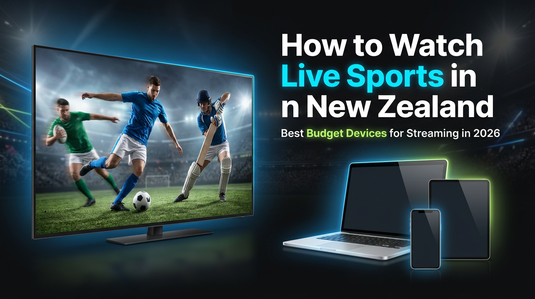
Watching live sports has become easier than ever. You may follow football, cricket, or rugby from anywhere. However, streaming quality depends heavily on the device you use.
Many fans face buffering, lag, or poor resolution during big matches. Therefore, choosing the right device can improve your entire viewing experience.
This guide helps you understand how to stream sports smoothly in New Zealand. You may also discover budget-friendly tech options that deliver reliable performance without overspending.
Why Streaming Devices Matter for Live Sports
Live sports require stable performance and fast response times. You may notice delays or buffering when your device struggles to keep up. However, this usually happens due to weak hardware or outdated systems.
A good streaming device ensures smooth playback and better picture quality. Therefore, you can enjoy matches without interruptions or delays.
Additionally, larger screens improve visibility during fast-paced games. This makes a noticeable difference when watching football or cricket.
Popular Sports You May Stream in NZ
Sports streaming demand continues to grow across New Zealand. You may already follow major leagues and international matches. However, each sport requires consistent performance for the best experience.
Football fans often stream matches like club league games. Cricket viewers follow tournaments and international series. Similarly, rugby remains one of the most watched sports locally.
Therefore, having a reliable device helps you stay connected to every moment of the game.
Best Budget Devices for Streaming Sports
Choosing the right device depends on how you watch content. You may prefer portability or a larger screen for better viewing. However, budget-friendly options can still deliver strong performance.
Chromebooks for Easy and Smooth Streaming
Chromebooks offer a simple and efficient way to stream sports online. You may use them for browsing, streaming, and light tasks without performance issues. However, their real advantage lies in speed and ease of use.
These devices load web-based streaming platforms quickly. Therefore, you can switch between matches or apps without lag.
Chromebooks are also lightweight and portable. This makes them ideal for students or users who want a flexible setup.
Laptops for Better Performance and Multitasking
Laptops provide more power for streaming and multitasking. You may watch a match while browsing stats or chatting with friends. However, performance depends on the device specifications.
Budget-friendly laptops available on TechCrazy can handle streaming platforms smoothly. Therefore, you can enjoy HD content without interruptions.
A larger screen also improves viewing comfort. This becomes useful during long matches or tournaments.
Tablets for Portable Streaming
Tablets offer a balance between portability and screen size. You may carry them easily and watch matches anywhere. However, they may not match the performance of laptops for heavy usage.
For casual streaming, tablets work well. Therefore, they remain a convenient option for travel or quick viewing sessions.
Smartphones for On-the-Go Matches
Smartphones are the most common way to stream sports. You may watch matches during travel or breaks. However, smaller screens can limit the viewing experience.
A good smartphone with stable internet can still deliver smooth streaming. Therefore, it works best for quick access and flexibility.
Tips to Improve Streaming Quality
Even with a good device, streaming quality depends on other factors. You may need to optimise your setup for the best experience. However, small changes can make a big difference.
Use a stable internet connection whenever possible. Therefore, Wi-Fi usually works better than mobile data for HD streaming.
Close unused apps to improve performance. This helps your device focus on streaming without lag.
Additionally, choose platforms that support adaptive streaming. This ensures smoother playback even if your internet speed fluctuates.
Why Budget Devices Make Sense in NZ
Tech prices can vary significantly in New Zealand. You may not always want to invest in high-end devices. However, budget-friendly options can still deliver strong performance.
Pre-owned laptops and Chromebooks offer great value. Therefore, you can access reliable streaming without paying premium prices.
This approach works well for students, families, and casual users. It helps you enjoy sports without stretching your budget.
Real-World Example
Imagine you are watching a live cricket match. A slow device may buffer during key moments. However, a reliable Chromebook or laptop can stream the match smoothly in HD.
Similarly, during a football match, you may want to check live stats while watching. Therefore, a laptop allows multitasking without slowing down.
These small differences improve your overall experience.
Final Thoughts
Streaming live sports in New Zealand has never been more accessible. You may enjoy matches from anywhere with the right setup. However, your device plays a key role in performance and quality.
Choosing a Chromebook, laptop, tablet, or smartphone depends on your needs. Therefore, finding a balance between budget and performance helps you get the best value.
In the end, a reliable device ensures you never miss important moments during your favourite matches.
FAQs To Clear Your Doubts
1. What is the best device to watch live sports in New Zealand?
The best device depends on your usage. You may prefer laptops or Chromebooks for a larger screen and smoother streaming. However, smartphones work well for quick access. Therefore, choosing a device with stable performance and good internet support improves your overall viewing experience significantly.
2. Can you watch live sports on a Chromebook in NZ?
Yes, Chromebooks can stream live sports easily through web browsers or apps. You may access platforms like streaming services without performance issues. However, a stable internet connection is important. Therefore, Chromebooks remain a reliable and budget-friendly option for everyday sports streaming in New Zealand.
3. Are budget laptops good for streaming live sports?
Budget laptops can handle sports streaming well if they have decent specifications. You may watch matches in HD without lag on most platforms. However, performance depends on RAM and processor quality. Therefore, choosing a reliable pre-owned or budget laptop ensures a smooth and consistent experience.
4. Which internet speed is required for sports streaming in NZ?
Streaming live sports requires a stable internet connection. You may need at least 10 Mbps for HD quality. However, higher speeds provide smoother playback and fewer interruptions. Therefore, using Wi-Fi instead of mobile data often improves streaming quality and reduces buffering during live matches.
5. Is it better to watch sports on a phone or laptop?
Both devices have their advantages. You may use a smartphone for convenience and portability. However, laptops offer a larger screen and better multitasking. Therefore, laptops usually provide a more immersive experience, especially for long matches or when you want to track stats simultaneously.
6. How can you reduce buffering while streaming sports?
Buffering can interrupt your viewing experience. You may reduce it by using a strong Wi-Fi connection and closing background apps. However, device performance also matters. Therefore, choosing a reliable device and maintaining stable internet speeds helps ensure smoother playback during live sports events.
7. Are pre-owned devices good for streaming sports in NZ?
Pre-owned devices can work well for streaming if they are in good condition. You may save money while still getting reliable performance. However, it is important to check specifications before buying. Therefore, they offer a cost-effective way to enjoy live sports without investing in new devices.
8. Which device is best for watching rugby and cricket in NZ?
Rugby and cricket fans may benefit from larger screens for better visibility. You may prefer laptops or tablets for clearer viewing. However, smartphones still work for quick access. Therefore, choosing a device depends on whether you prioritise portability or a more immersive viewing experience.
9. Can you multitask while streaming live sports?
Multitasking depends on the device you use. You may open multiple tabs or apps on laptops without slowing performance. However, smartphones may feel limited for this purpose. Therefore, laptops are better if you want to watch matches while browsing stats or chatting with friends.
10. Do streaming devices affect video quality for live sports?
Yes, devices play a role in video quality. You may notice better resolution and smoother playback on devices with stronger hardware. However, internet speed also affects quality. Therefore, using a capable device with a stable connection ensures the best possible viewing experience.