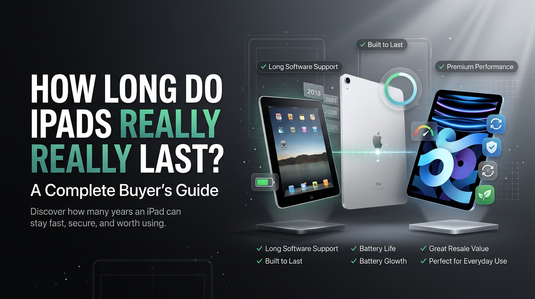
How Long Do iPads Really Last?
Are you thinking of buying an iPad but also wondering about its longevity? When one thinks of buying something, they may struggle with many questions. The popular one is the useful lifespan. To be fair, there is not one rule of thumb answer that you can apply here as the longevity of an iPad can vary depending upon various factors.
It could be the availability of the software updates as time passes, hardware functionality or the apps’ compatibility. Other factors could be related to physical wear and tear. In simple words, factors that determine how long an iPad remains genuinely useful.
Having said that, one should also not assume that an older iPad with no recent software updates is useless. In the right hands, it could be quite useful still. So, your question should not be How old is this iPad? It should be, “What it can do for me?” Keeping that in mind lets explore all of it a little more.
How Long Does Apple Support An iPad?
Again! there is no one simple answer to know how long does Apple support An iPad in terms of software updates? To better reach your answer, the key is to understand iPad generations and iPadOS compatibility.
Apple has several iPad families such as iPad, iPad mini, iPad Air and iPad pro. Within these families there are generations that are released. These generations are just upgraded versions of the previously released models on the basis of processors, cameras, displays, ports, speakers and other internal hardware. If you are exploring your options, you can check out the wider range of Apple products available.
Apple name their models based on their generation numbers, such as iPad 8 (8th generation). However, recently released models are now identified based on processors like iPad Air (M4). So to know the software compatibility, you need to check out the name of an iPad and then check the software that it is compatible with.
If you check the iPadOS 26 compatibility list, you will find that iPads released a few years ago still receive major software updates. For instance, the iPad (8th generation), which was introduced in 2020, remains compatible with iPadOS 26. It is not simply about the number of years, it's about the compatibility of software across different generations and models.
Therefore, saying that Apple only supports a particular generation model for so and so years would be incorrect. Instead, you should first identify its usage and then check which recent software update it supports. Let's say you want an iPad and your decision majorly depends on its display, then check the software's compatibility specifically related to that and then make your decision.
Eventually, the older generations will stop receiving the major updates. But there is a long road for an iPad to reach there. Also, reaching there does not mean that the iPad will become non-functional. It will still function, but you will not get some of the newest updates. If an iPad is serving your specific purpose, even if it's not compatible with the current software, it can still be a handy tool for you.
Does An iPad Become Useless When Updates Stop?
A direct and simple answer to it is, not necessarily. It's a common misconception that an iPad becomes useless when the updates stop. If the hardware of the iPad is functioning how it used to then you can do tasks that it was designed for, on it easily.
Software update is one measure of an iPad's longevity. It is not an only factor. Without software updates you can still perform the basic tasks related to watching videos, studying, taking notes, making video calls, checking emails or browsing.
However, the overall performance of an iPad may take a slight hit as some applications or online services may need a newer version of iPadOS for them to run optimally. Due to this reason, it is advised to consider software support while buying an older iPad. But it should not be the deciding factor. The deciding factor should be your purpose of using it. It could be anything from studying, making video calls to checking emails or watching content.
Ask yourself what do you need it for? Is it for reading PDFs, taking online lectures or streaming for entertainment purposes? If yes, you may not need the latest updates. On the contrary, if your tasks require running demanding applications or need latest features then it could be a different story. An older hardware may not completely support new features.
Can An Older iPad Still Be Useful For Creators?
Older iPads may be old but it does not reduce them to just watching Netflix or browsing websites. An older iPad can still be used for various tasks related to drawing, sketching, illustration, writing, note taking and other creative things. All these tasks can easily be carried out in an older iPad depending on the model, application compatibility and software version.
Creators need many different devices, an iPad may simply be needed for a reference screen or as a portable space to review the work. Also, creativity works in mysterious ways. Some graphic designers or creative artists prefer their older iPads that offer old features. They sometimes even look for some specific models that used to offer their prefered feature for creativity as it makes a whole lot of difference in their work.
You can also take Apple Pencil as another example, not every iPad is compatible with every Apple Pencil. This makes it even more important for the buyers to check the compatibility, along with looking into appropriate Apple accessories, rather than making an assumption that older iPad will work with any pencil.
Above reasons were based on the creative front. But if a creator's professional work heavily relies on demanding creative applications then they may benefit from iPads having newer features and improved processing power. Therefore, your goal should be to match the hardware with the workload and creativity, not with the released date of an iPad.
When Should You Actually Replace Your iPad?
There are many factors that decide when should you replace your iPad. While some factors are individualistic, others are more on a general level. To know whether or not its time for an iPad replacement you must consider the following:
- Battery Condition: Is it in optimum state?
- Physical Condition: Is there any physical damage?
- Software Support: Does it support the apps and features that you need?
- App Compatibility: Are the applications that you use still working?
- Features: Does it have all the functions that you need to perform your tasks?
- Repairability: What would be practical, a repair or a replacement?
- Price: Can you afford a replacement?
You should replace your iPad if it no longer serves your purpose and getting an upgraded version can cater your needs.
Why Consider a Pre-Owned or Refurbished iPad?
iPads are designed in such a way that they remain useful for years as it is a one time investment for most buyers. So, buying a pre-owned or refurbished iPad does not mean that you will get a reduced version of it.
However, you will still need to inspect the device carefully to make a smart decision. All you have to do is select the iPad with the generation and specifications that work for you then cosider its over all condition. Look for things like battery condition, physical condition, software compatibility. And above all, check whether you will be able to perform your required tasks efficiently on it or not.
Lastly, compare all the factors with the asking price. If you are looking to buy a refurbished iPad then TechCrazy could be your stop. You can explore your options across different generations and conditions rather than just going for the latest model. If everything suits you then there is no reason to not go ahead with it.
Just know that its not about just buying an old iPad, its about choosing a particular model, in the condition that you prefer, for a particular purpose, in a particular price. With this mindset you can easily get yourself something that works specifically for you.
Conclusion- Age Isn't The Whole Story
In the end, you can say that an iPad's useful lifespan has nothing to do with it's released date (age). Factors such as software support, battery condition, hardware performance and physical conditions matter collectively. This is not to say that a ten-year iPad is an eqivalent of a current generation iPad but it is not entirely worthless. People often focus too much on how old a device is and not enough on what the device can still do for them. Your main and only objective while buying a pre-owned iPad should be whether it will serve your purpose or not.